

Are you waiting for your BISP 8171 SMS but still haven’t received anything? Don’t worry you’re not the only one. Thousands of eligible families across Pakistan are facing this exact problem. The good news is that the issue is fixable, and you can still check your eligibility and payment status without receiving the SMS.
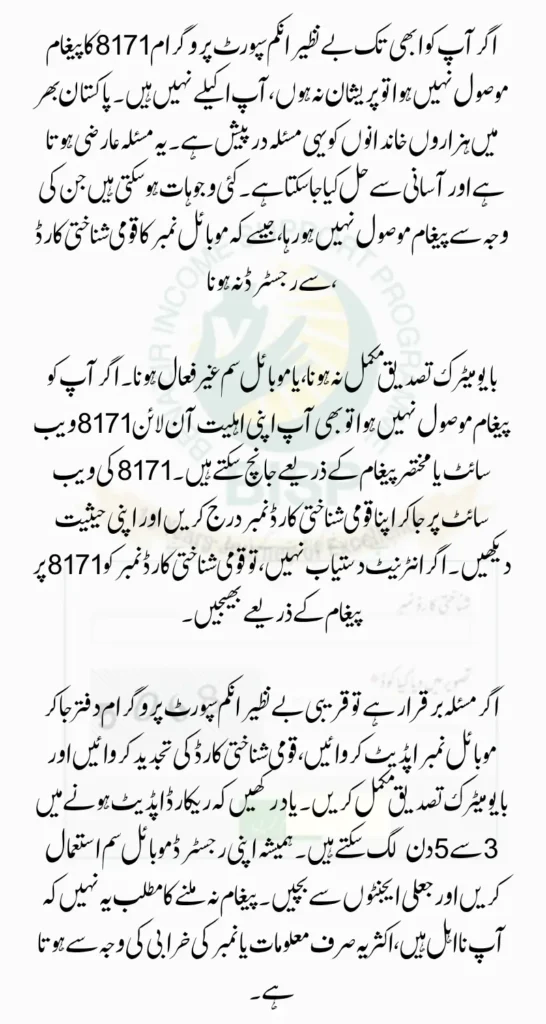
In this guide, we’ll explain why your SMS might be missing and how you can resolve it step by step using both online and offline methods.
Why You Might Not Receive the 8171 SMS
There are a few common reasons why you may not be getting updates from 8171:
- Your mobile number is not registered with your CNIC.
- You’ve changed your SIM or number recently.
- The SIM card isn’t in your name or not linked to your CNIC.
- The SIM is blocked or inactive.
- Your biometric verification (fingerprints) is incomplete.
- Incorrect or outdated CNIC data in NADRA or BISP records.
- System delays — especially when there is heavy traffic on the network.
You can also read: Student T-Cash Card Registration 2025 Check Benefits
How to Check Your BISP Eligibility Without Receiving an SMS
Even if you didn’t receive an 8171 SMS, you can still check your eligibility easily.
Option 1: Check Through 8171 Web Portal
- Go to the official 8171 portal: bisp.gov.pk
- Enter your 13-digit CNIC number.
- Fill in the captcha code shown on the screen.
- Click on “Check Eligibility”.
You’ll see one of the following messages:
- Payment Ready – You are eligible and can receive payment.
- Under Review – Your verification or survey is still being processed.
- Not Eligible – You didn’t meet the program’s criteria.
Option 2: Check via SM
If you don’t have internet access, follow these steps:
- Open your mobile’s Messages app.
- Type your 13-digit CNIC number (without dashes).
- Send it to 8171.
- Wait for a reply.
How to Fix the “No SMS Received” Issue: Step-by-Step
If you didn’t get any SMS but believe you’re eligible, follow these steps to resolve the problem:
1. Visit Your Nearest BISP Office
- Go to your local BISP office and request to update your mobile number.
- Make sure the number you provide is registered under your CNIC.
2. Update or Renew Your CNIC
- If your CNIC is expired or has incorrect details, visit your nearest NADRA center to fix it.
- An outdated CNIC can stop you from receiving updates.
3. Complete Biometric Verification
- If your fingerprints are not verified, you must visit a BISP center to complete biometric authentication.
4. Update Your Household Survey
- If your poverty score or household information is outdated, request a dynamic NSER survey at the BISP office.
5. Wait 3 to 5 Working Days
- System updates take a few days to reflect.
- After updating your records, recheck your status via the portal or SMS.
You can also read: BISP Eligibility Districts Updated Guide for 2025 Complete
Understanding Common 8171 Status Messages
Here’s a simple table to help you understand what different status messages mean:
| Status | What It Means | Next Step |
|---|---|---|
| Payment Ready | You are eligible and payment is ready | Visit ATM or BISP center to collect your money |
| Under Review | Your application is still being verified | Wait, or visit BISP with your documents |
| Not Eligible | You do not meet the criteria | Update your info and reapply |
| CNIC Not Found | Your record is not in the BISP database | Register at your nearest BISP office |
Frequently Asked Questions
Why is 8171 not sending me SMS?
Your SIM may not be active or registered to your CNIC. Make sure your mobile number is correct and linked.
Can I check my status using someone else’s phone?
Yes, but you must use your own CNIC number. It’s better if the SIM is also in your name.
Can I receive the message if my CNIC is expired?
No. You must first renew your CNIC at NADRA, then update your records with BISP.
Does biometric verification affect the SMS system?
Yes. If you haven’t completed biometric verification, you may not receive updates or payments.
How long does it take after updating information?
Usually, your record updates in 3 to 5 working days. After that, check your status again.
Final Tips for a Smooth Process
- Always use a SIM that’s registered under your CNIC.
- Keep your CNIC valid and up to date.
- Regularly check the portal or send your CNIC to 8171.
- Avoid giving personal info to unauthorized agents or third parties.
- If nothing works, visit the nearest BISP office for help.
You can also read: CM Punjab Green E-Taxi Scheme Eligibility: Check If You Qualify
Conclusion
Missing your BISP 8171 SMS doesn’t mean you’re not eligible. Many times, it’s a simple issue like a wrong SIM or an expired CNIC. By following the right steps updating your data, verifying your SIM, and checking online you can fix the issue and receive your payment without delay. BISP 8171 SMS Not Received