

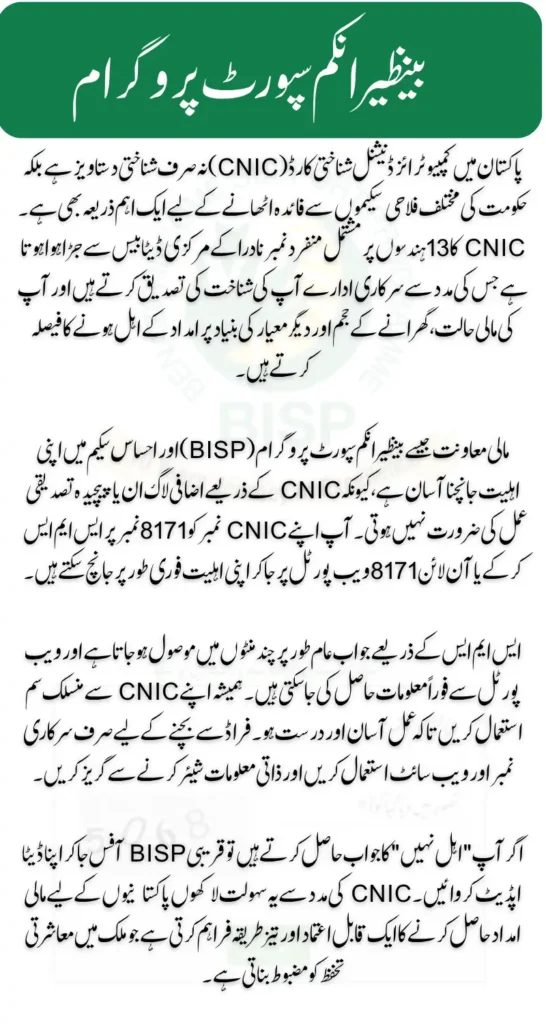
In Pakistan, the Computerized National Identity Card (CNIC) is more than just an identity document it is a crucial tool for accessing various government services and social welfare programs. One of the most important uses of your CNIC is to check eligibility for financial assistance programs like the Benazir Income Support Programme (BISP) and Ehsaas. This article explains how you can easily use your CNIC to verify your eligibility and what steps to follow to receive support without hassle.
Why Your CNIC is Key for Eligibility Checks
Your CNIC is linked to NADRA’s centralized database, which holds your personal information and household details. This link allows government agencies to authenticate your identity and verify whether you qualify for assistance based on income, family size, and other criteria. Checking eligibility using your CNIC is straightforward because it eliminates the need for additional logins, passwords, or complicated verification steps.
You can also read: BISP 8171 Web Portal October 2025
Because your CNIC contains a unique 13-digit number, this identifier is used in real-time to match your details with the government’s social safety nets. It ensures that benefits reach only those who genuinely need them. Computerized National Identity Card (CNIC)
How to Check Eligibility Using Your CNIC
There are two convenient ways to check your eligibility using your CNIC—via SMS and through the official online portal. Both methods are designed to be user-friendly and accessible to all Pakistanis.
Check Eligibility Through SMS
For those who do not have internet access, SMS is a reliable option. Here’s how to do it:
- Open the messaging app on your mobile phone.
- Type your 13-digit CNIC number without any dashes or spaces.
- Send the message to the number 8171.
- Wait for the reply, which usually arrives within a few minutes.
Your response will indicate one of the following:
- Payment ready
- Under review
- Not eligible
Always use the SIM card registered with your CNIC to ensure a smooth process.
Check Eligibility Using the 8171 Web Portal
If you have internet access, the 8171 web portal offers a faster and more detailed way to check your status:
- Visit the official 8171 website.
- Enter your 13-digit CNIC number and complete the captcha.
- Click on the “Check Eligibility” button.
- View your eligibility and payment status immediately.
The portal is especially useful if SMS responses are delayed or unavailable.
You can also read: BISP Kafaalat Phase 3 July–October 2025 Payment Details
Tips to Avoid Scams When Checking Eligibility
Because government assistance is vital, some fraudsters may try to exploit people. Protect yourself by following these safety tips:
- Use only the official SMS number (8171) and website.
- Do not share sensitive information like OTPs, PINs, or bank details.
- Avoid agents or websites that charge fees for help.
- Contact the official BISP helpline at 0800-26477 if you need assistance.
Frequently Asked Questions
- Is there a cost to check eligibility?
SMS costs standard network charges; web portal access is free. - Can someone else check my eligibility?
No, eligibility checks must be done using the CNIC-linked SIM or in person at a BISP center. - What should I do if I’m “Not eligible”?
Visit your local BISP office to update your data or request a new survey. - How soon will I receive a reply after sending my CNIC?
Replies usually come within minutes via SMS; the portal response is instant.
Conclusion
Using your CNIC to check eligibility for government assistance programs is simple and accessible. Whether through SMS or the 8171 web portal, this process helps millions of Pakistanis confirm their eligibility quickly without any complicated steps.
You can also read: BISP Dynamic Survey Registration Start Ineligible Women Check Complete Details
Always use official channels, protect your personal information, and keep your data updated to ensure you receive the support you deserve. The CNIC eligibility check is a powerful tool for financial inclusion and social support across the country.